
From OMOP CDM to FHIR with Ignifyr

A. Anil Sinaci
Ignifyr TeamMany hospitals and research networks already keep their data in the OMOP Common Data Model. When the same data has to be served as HL7 FHIR resources, for a patient summary, a FHIR-based research platform or an application that speaks FHIR, the OMOP database becomes a data source. Ignifyr Enterprise now ships the OMOP CDM table definitions, so an OMOP database is a source you can map from without describing a single table yourself.
The OMOP CDM is built in
Ignifyr Enterprise includes the table definitions of OMOP CDM versions
5.3, 5.4 and 6.0, generated from the official OHDSI
specifications. Every table, from person and
visit_occurrence to measurement and the
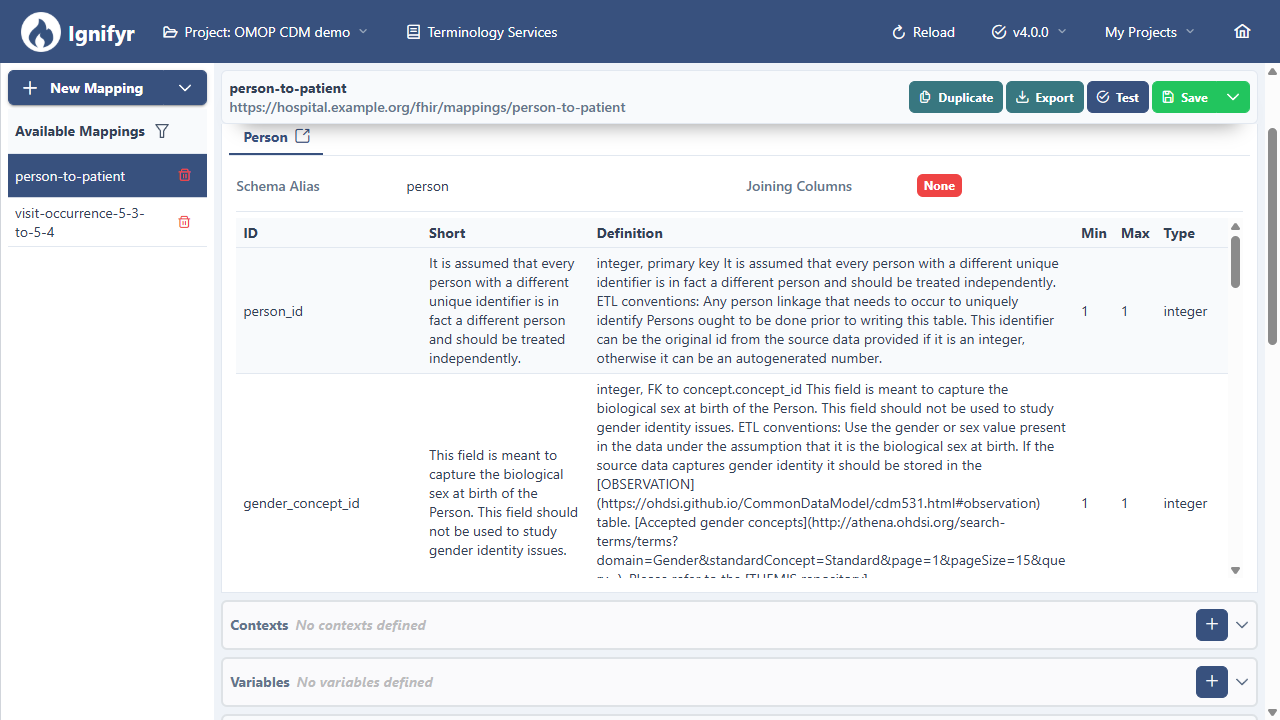
vocabulary tables, is available in every project. In the schema picker of
the mapping editor, they appear under OMOP CDM, next to the
FHIR Resource Types and your own Schema Repository.
Each column keeps its type, whether it is required, its foreign keys and
the OHDSI user guidance, which the editor shows while you write the mapping.
In this post we go from an OMOP CDM 5.4 database on PostgreSQL to FHIR R4 resources that conform to US Core, in four steps: connect the database, pick the OMOP tables as sources, write the mappings, and run the job against a FHIR server.
1. Connect the OMOP database
An OMOP database is a SQL database like any other. In the job's data
source settings, enter the JDBC URL of the database, the credentials and
the schema that holds the CDM tables, for example cdm. For
each mapping, the source table is simply named; Ignifyr reads it with
Spark, and for very large tables you can add a batching strategy that
splits the read by person_id ranges or by year.
2. Pick the OMOP tables as sources
When you create a mapping, choose the source schema from
OMOP CDM › 5.4 › Person instead of inferring a
schema from the database. The mapping editor then knows every column of
the person table, so auto-completion, type checks and the
column guidance all work out of the box.
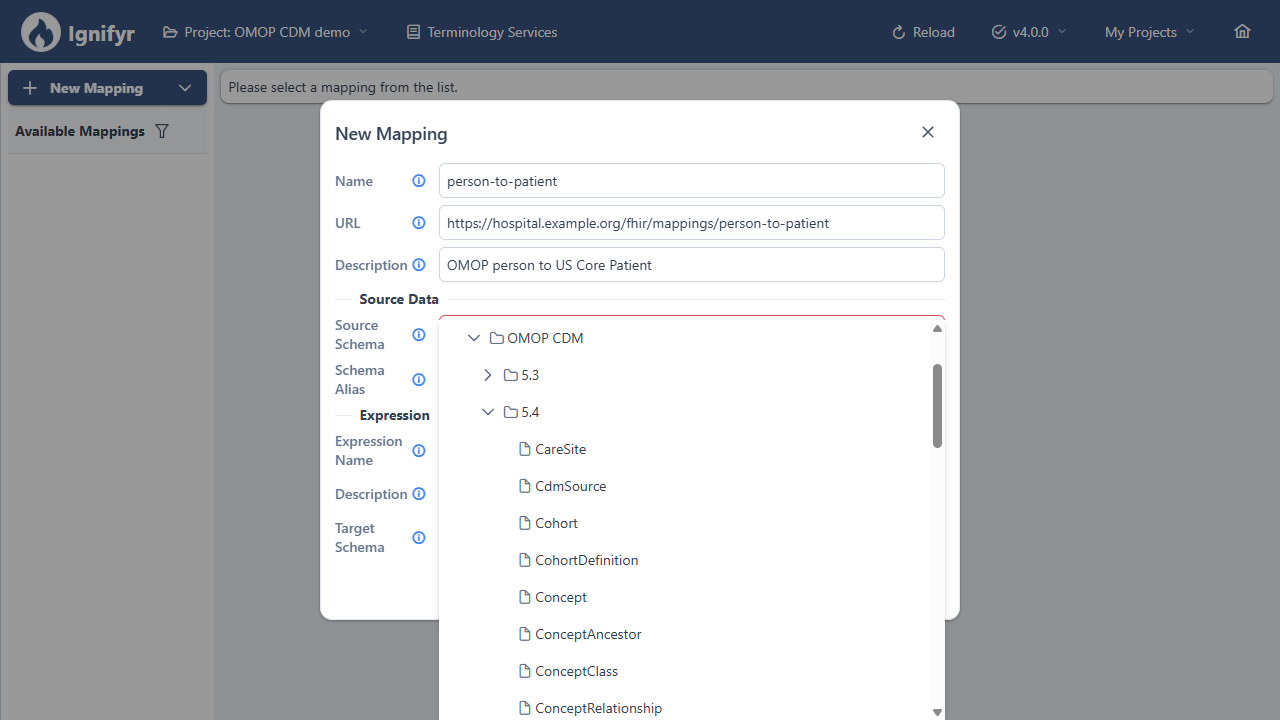
The OMOP CDM versions and their tables in the schema picker of the mapping editor.
A FHIR resource often needs more than one OMOP table. A
Condition, for example, carries the code of the condition,
which lives in the concept table. Add Concept as a
second source of the mapping and join it on
condition_concept_id = concept_id; the joined columns are
then available in the mapping as %concept.
3. Write the mappings
Mappings are FHIR resource templates with FHIRPath expressions. The
person table becomes a US Core Patient: the hashed-ID function
turns person_id into a stable FHIR id without copying it, and a
small concept map translates the OMOP gender concepts to the FHIR
administrative gender codes.
{
  "resourceType": "Patient",
  "id": "{{mpp:getHashedId('Patient', person_id.toString())}}",
  "meta": {
    "profile": ["http://hl7.org/fhir/us/core/StructureDefinition/us-core-patient"]
  },
  "identifier": [{
    "system": "https://hospital.example.org/omop/person",
    "value": "{{person_source_value}}"
  }],
  "gender": "{{mpp:getConcept(%genderConceptMap, gender_concept_id.toString(), 'target_code')}}",
  "birthDate": "{{? birth_datetime.toString().substring(0, 10)}}"
}source_code,target_code
8507,male
8532,female
8551,unknown
The condition_occurrence table becomes a Condition. The code
comes from the joined concept row, and a second concept map
turns the OMOP vocabulary id, such as SNOMED or
ICD10CM, into the FHIR code system URL. References to the
Patient and the Encounter use the same hashed ids as the resources they
point to, so the links resolve on the FHIR server.
{
  "resourceType": "Condition",
  "id": "{{mpp:getHashedId('Condition', condition_occurrence_id.toString())}}",
  "meta": {
    "profile": ["http://hl7.org/fhir/us/core/StructureDefinition/us-core-condition-problems-health-concerns"]
  },
  "clinicalStatus": {
    "coding": [{ "system": "http://terminology.hl7.org/CodeSystem/condition-clinical", "code": "active" }]
  },
  "category": [{
    "coding": [{ "system": "http://terminology.hl7.org/CodeSystem/condition-category", "code": "problem-list-item" }]
  }],
  "code": {
    "coding": [{
      "system": "{{mpp:getConcept(%vocabularySystems, %concept.vocabulary_id, 'system')}}",
      "code": "{{%concept.concept_code}}",
      "display": "{{%concept.concept_name}}"
    }]
  },
  "subject": "{{mpp:createFhirReferenceWithHashedId('Patient', person_id.toString())}}",
  "encounter": "{{? mpp:createFhirReferenceWithHashedId('Encounter', visit_occurrence_id.toString())}}",
  "onsetDateTime": "{{condition_start_date}}",
  "abatementDateTime": "{{? condition_end_date}}"
}
The other clinical tables follow the same pattern: visit_occurrence
becomes an Encounter, measurement a laboratory Observation
with a UCUM unit, drug_exposure a MedicationRequest or
MedicationStatement, and procedure_occurrence a Procedure.
Because the concept ids are already standard concepts, the code
translation is a lookup in the vocabulary, not a terminology mapping project.
4. Test, validate and run
The mapping tester runs a mapping on a sample of rows and shows every source row next to the resources it produced. Validation happens inside Ignifyr: each resource is checked against the base FHIR definition and the US Core profile it names, with no FHIR server involved, and the issues are grouped per source row so that you see at once which OMOP row needs attention.
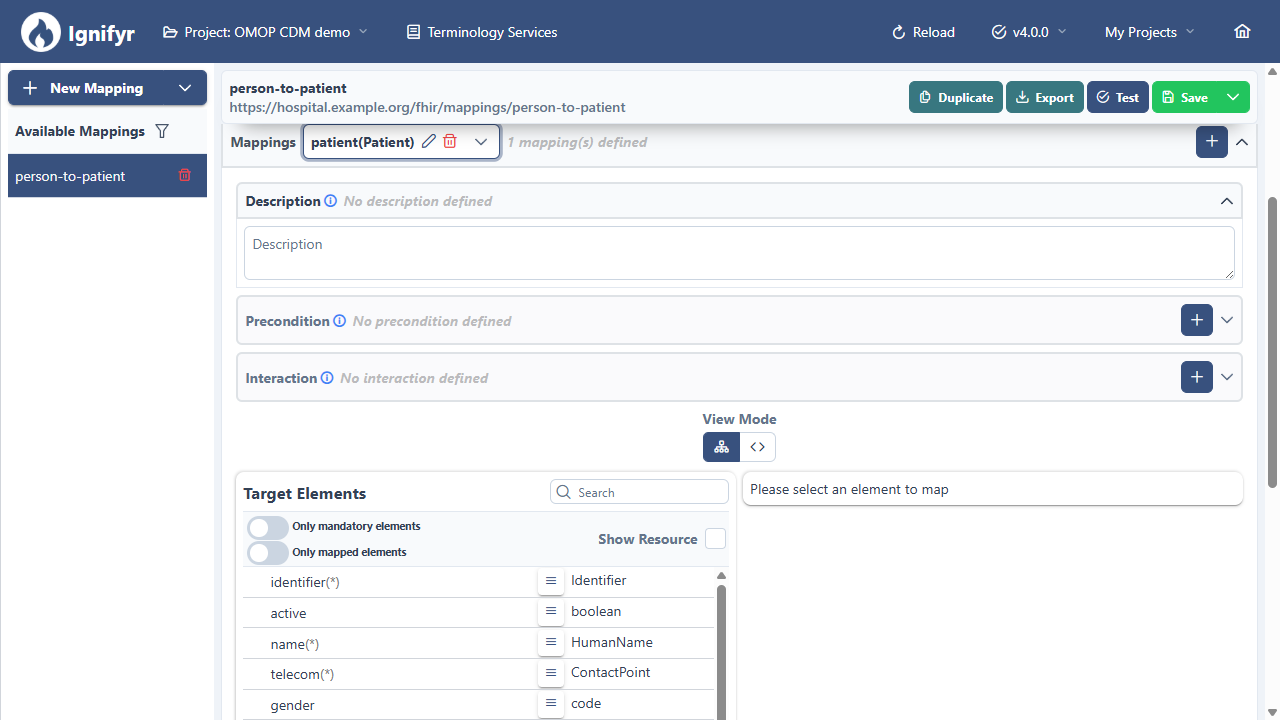
The mapping tool: the elements of the FHIR Patient on the target side, filled from the columns of the OMOP person table.
Once the mappings are right, the job writes the resources to your FHIR server, such as Repofyr, HAPI or Firely, as batch or transaction bundles. Run it once for an initial load, or on a cron schedule to pick up the rows that changed since the last run. A full OMOP database with hundreds of millions of rows is a job for the batching strategy, which Ignifyr runs batch by batch on Apache Spark.
The other direction
The same table definitions work as mapping targets. If your data is in a hospital database or in CSV exports and you want to build an OMOP database, pick OMOP CDM › 5.4 › Person as the target of a mapping instead of a FHIR profile, fill in the columns with FHIRPath expressions, and let the OMOP Database sink append the rows to your CDM tables. And since source and target can both be OMOP tables, moving a database from one CDM version to the next is a mapping as well; our post on upgrading an OMOP CDM from 5.3 to 5.4 shows how.
Want to see Ignifyr on your own OMOP database? Read the FAQ on OMOP support or request a demo.