
From Source Data to FHIR or OMOP in Six Steps
Ignifyr turns health data into HL7 FHIR® resources or OMOP CDM tables with mappings that you define, test and run in one place. This is the workflow, from connecting a data source to monitoring the jobs that run in production.
1 Connect and describe your source
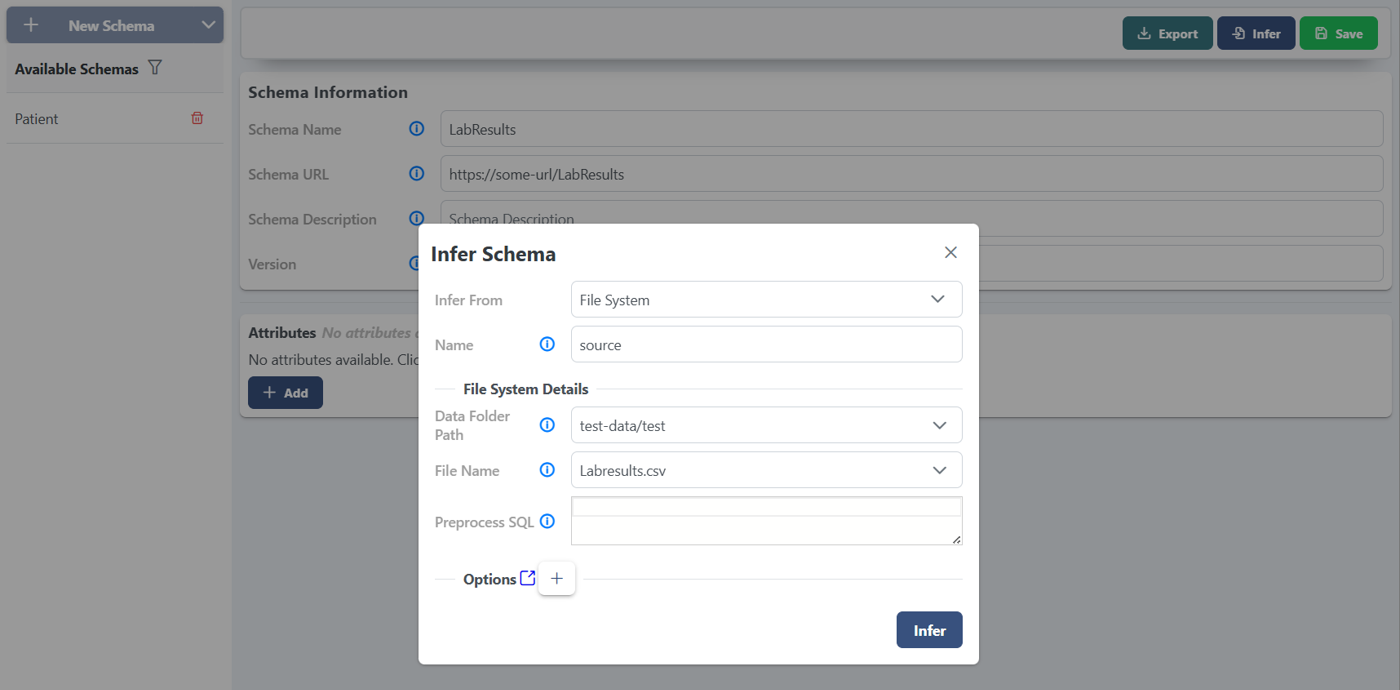
Point Ignifyr at files (CSV, TSV, Parquet, JSON, NDJSON), a SQL database, a FHIR server, an Apache Kafka topic or a REDCap project. Ignifyr infers the source schema for you, or imports it from a REDCap data dictionary.
2 Choose your target model
Import the FHIR profiles your data must conform to, such as US Core, the International Patient Summary or your own common data model, from a FHIR server or a ZIP file. Or pick a table of the OMOP CDM: versions 5.3, 5.4 and 6.0 are built into Ignifyr Enterprise, with nothing to import. Ignifyr supports FHIR R4 and R5.
3 Write the mappings
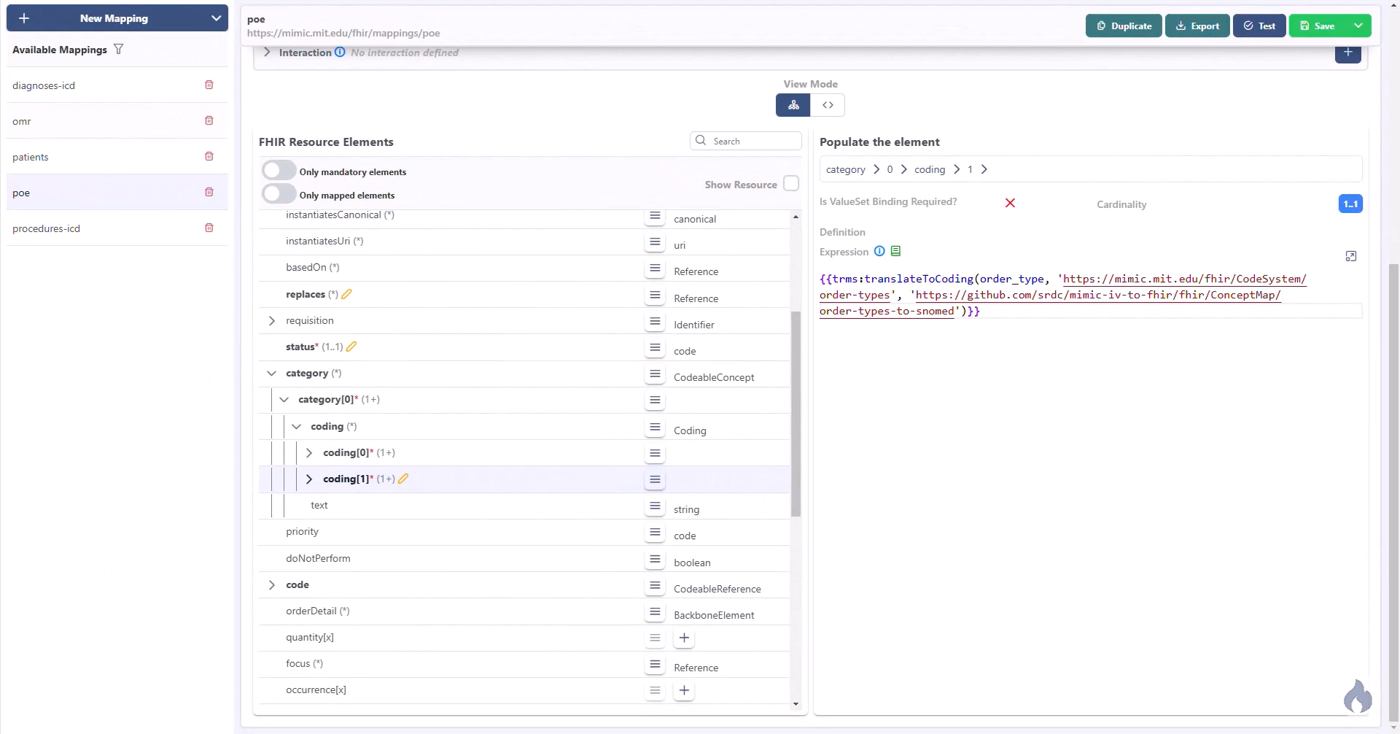
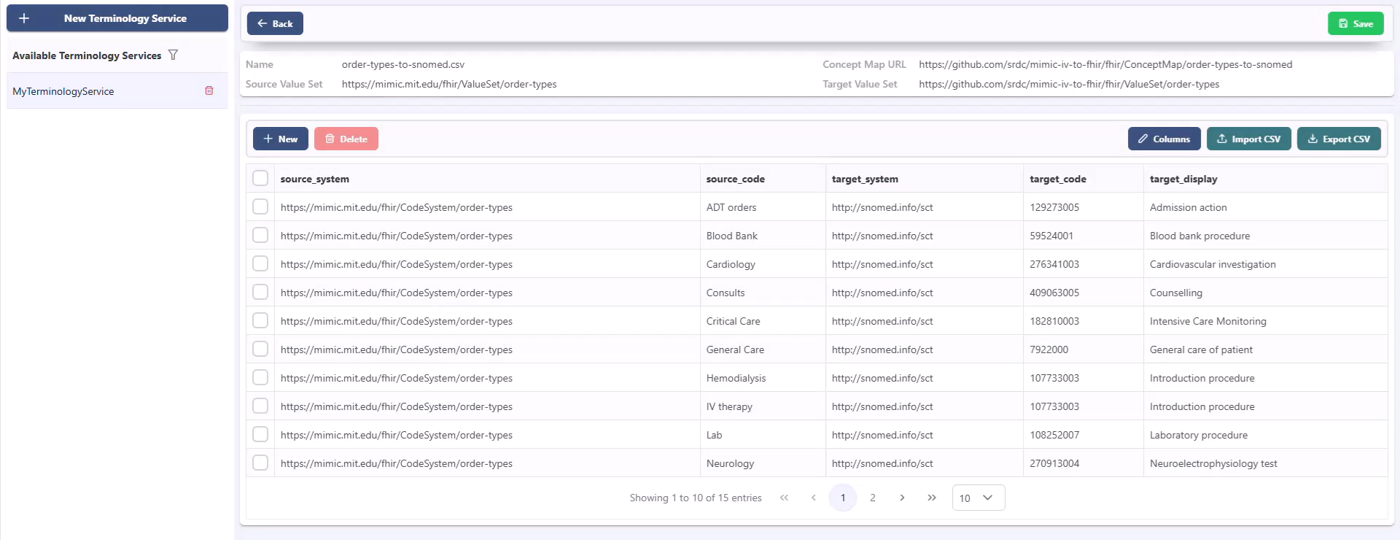
Fill in FHIR resource or OMOP table templates with FHIRPath expressions, guided by the required and constrained elements of the target. Translate local codes with concept maps or FHIR terminology services, convert units to UCUM, and join several sources into one resource.
4 Test and validate
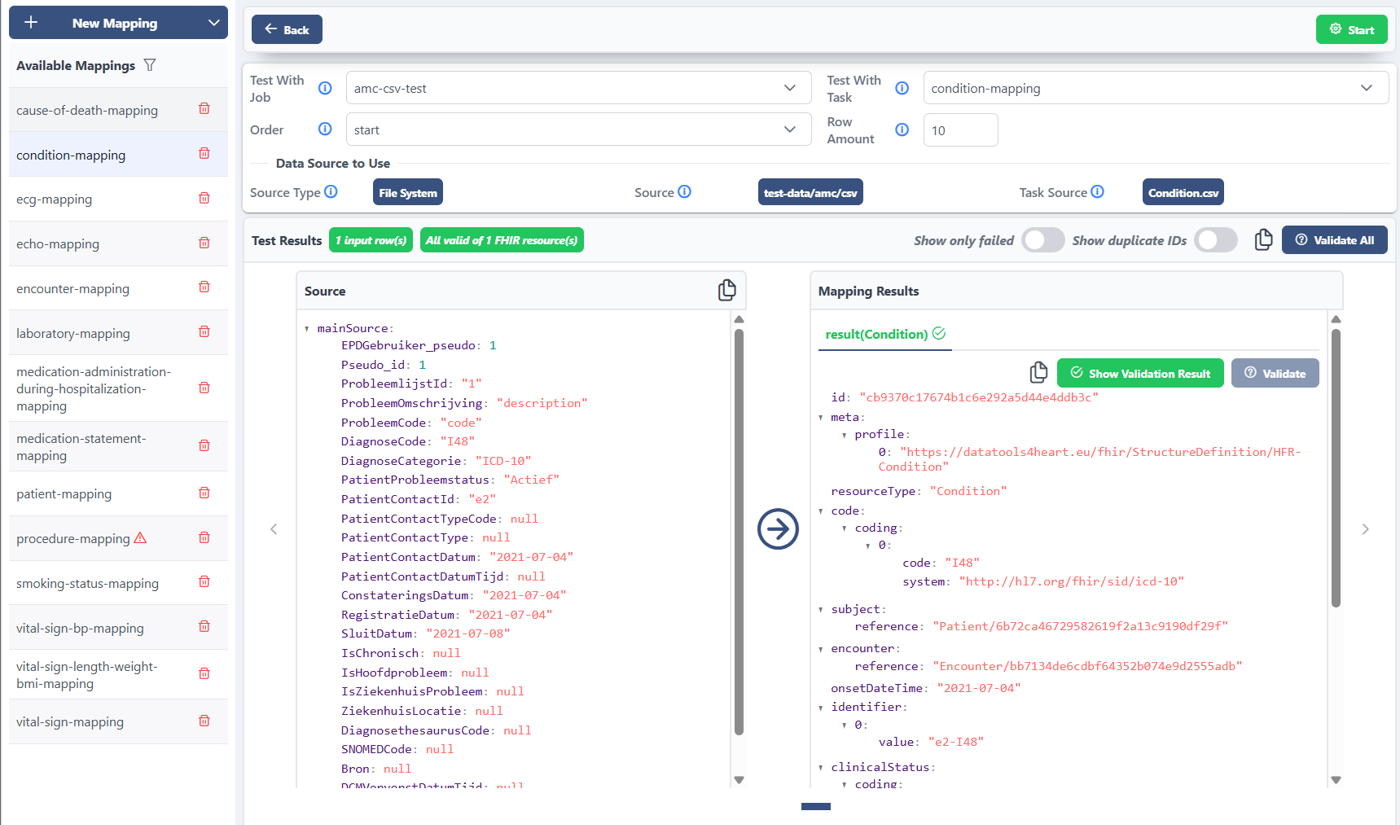
Run a mapping on a sample of source rows and see every row next to the FHIR resources it produces. Validate the results against the target profiles or CDM tables inside Ignifyr, without a FHIR server.
5 Run the jobs
Run a job once, on a cron schedule with incremental pulls, or continuously as a stream. Very large sources are split into batches. Results go to a FHIR server, to an OMOP CDM database on PostgreSQL, or to NDJSON, CSV, Parquet or Delta Lake files.
6 Monitor every run
Follow executions, stop or reschedule jobs, and inspect the errors of each mapping. Enterprise deployments ship execution logs to Elasticsearch, with ready-made Kibana dashboards.
The steps above use the Ignifyr web interface, which is part of Ignifyr Enterprise. With Ignifyr Community, you define the same schemas, mappings and jobs as JSON files and run them from the command line. See Pricing for the features of each edition.
A Mapping in Action
This simplified lab-result mapping turns one row of a local laboratory export into a US Core laboratory Observation. On the way, it translates the local test code to LOINC and converts the unit to g/dL.
patient_id,lab_code,value,unit,time
p-1001,HGB,135,g/L,2026-03-14T08:30:00Zsource_code,target_code,target_display
HGB,718-7,Hemoglobin [Mass/volume] in Bloodsource_code,source_unit,target_unit,conversion_function
HGB,g/L,g/dL,"$this * 0.1"{
"resourceType": "Observation",
"id": "{{mpp:getHashedId('Observation', patient_id & lab_code & time.toString())}}",
"meta": {
"profile": ["http://hl7.org/fhir/us/core/StructureDefinition/us-core-observation-lab"]
},
"status": "final",
"category": [{
"coding": [{
"system": "http://terminology.hl7.org/CodeSystem/observation-category",
"code": "laboratory"
}]
}],
"code": {
"coding": [{
"system": "http://loinc.org",
"code": "{{mpp:getConcept(%labConceptMap, lab_code, 'target_code')}}",
"display": "{{mpp:getConcept(%labConceptMap, lab_code, 'target_display')}}"
}]
},
"subject": "{{mpp:createFhirReferenceWithHashedId('Patient', patient_id)}}",
"effectiveDateTime": "{{time}}",
"valueQuantity": "{{mpp:convertAndReturnQuantity(%labUnitConversion, lab_code, value, unit)}}"
}mpp:getConceptlooks up the LOINC code and display in the concept map.mpp:convertAndReturnQuantityconverts 135 g/L to 13.5 g/dL and returns a UCUM quantity.mpp:getHashedIdcreates stable resource IDs without copying the patient identifier.
{
  "resourceType": "Observation",
  "id": "<hashed ID>",
  "meta": {
    "profile": ["http://hl7.org/fhir/us/core/StructureDefinition/us-core-observation-lab"]
  },
  "status": "final",
  "category": [{
    "coding": [{
      "system": "http://terminology.hl7.org/CodeSystem/observation-category",
      "code": "laboratory"
    }]
  }],
  "code": {
    "coding": [{
      "system": "http://loinc.org",
      "code": "718-7",
      "display": "Hemoglobin [Mass/volume] in Blood"
    }]
  },
  "subject": { "reference": "Patient/<hashed patient ID>" },
  "effectiveDateTime": "2026-03-14T08:30:00Z",
  "valueQuantity": {
    "value": 13.5,
    "system": "http://unitsofmeasure.org",
    "unit": "g/dL",
    "code": "g/dL"
  }
}
A simplified example based on the lab-result mappings in the Ignifyr Community test suite. Hashed IDs are shown as placeholders.
See It in the Web Interface
Every step of the workflow has its own screen in the Ignifyr web interface. Click an image to enlarge it.
How the Pieces Fit Together
Ignifyr runs inside your own infrastructure, next to your data sources. Health data flows from the sources through the mapping engine to your FHIR server, OMOP CDM database or files, and never has to leave your environment.
The web interface, REST API, streaming runtime, Kafka, FHIR server and REDCap sources, Delta Lake and OMOP CDM output and monitoring are part of Ignifyr Enterprise.
Deployment Options
Deploy Ignifyr on-premises or in your private cloud, as close to your data sources as possible.
Ignifyr Community
Open-source engine and command-line tool, Apache 2.0
- Runs as a standalone Java application or as a Docker image
- Schemas, mappings and jobs are JSON files that you can keep under version control
- Batch jobs from files and SQL databases to FHIR servers and files
- The
list-pluginscommand shows the installed connectors and sinks
Ignifyr Enterprise
Server, web interface and advanced runtimes
- Docker Compose setup with the Ignifyr server, the web interface and an optional Elasticsearch, Fluentd and Kibana stack
- Streaming, scheduled and batched jobs
- Kafka, FHIR server and REDCap sources, Delta Lake and OMOP CDM output
- Full support and professional integration services
What Ignifyr needs in your environment
- A server or container host inside the network of your data sources, with Java 11 or Docker.
- Read access to the source files, or database credentials with read permission on the source tables.
- A target FHIR server, an OMOP CDM database or a folder for the output files. Connections to FHIR servers can use OAuth2 client credentials, bearer tokens or basic authentication.
- Health data stays in your environment. Read more under Standards & Compliance.
Ready to try it?
Follow the video tutorial, see how others use Ignifyr, or ask us for a demo on your own data.